Read Bible verses on hover
Automatically detects scripture references on web pages and shows the verse in a popup window, fully offline.
Features
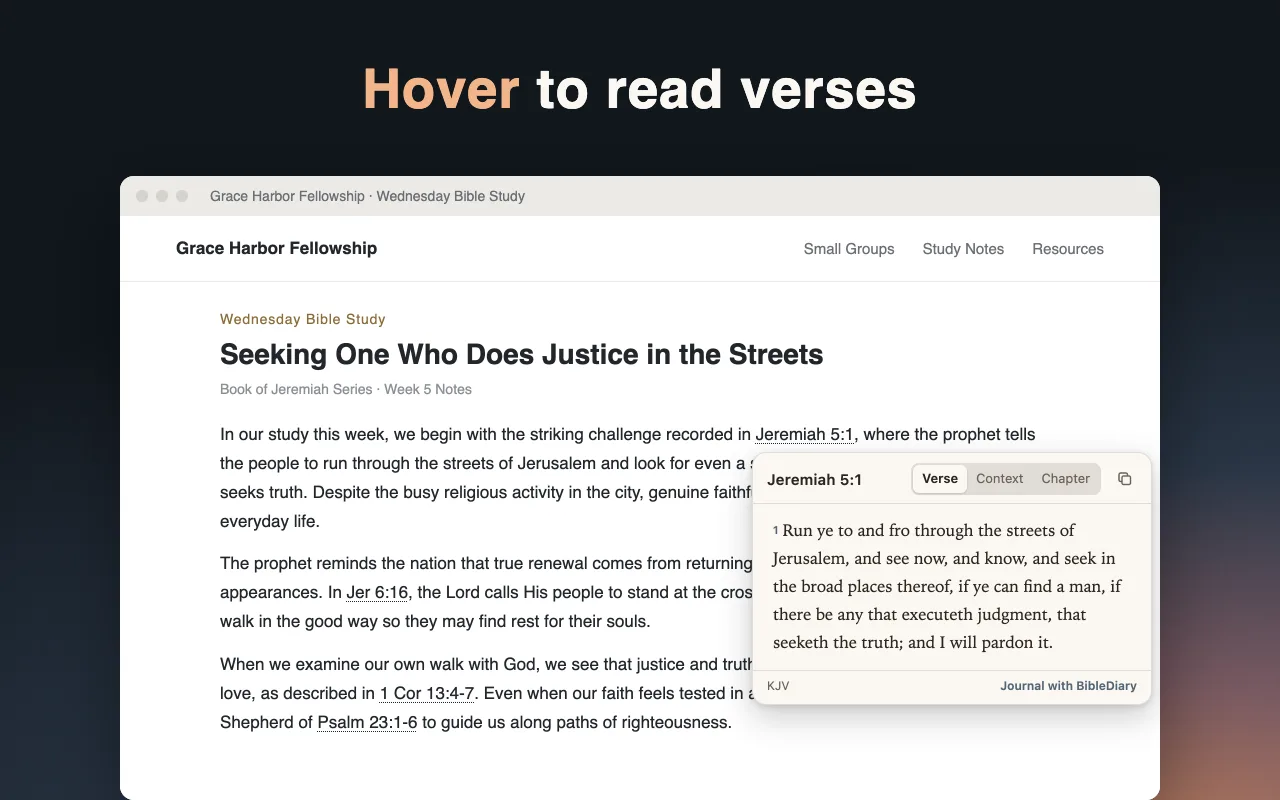
Hover over references to read
Detects scripture references on web pages and shows the passage in a clean popup when you hover your cursor.
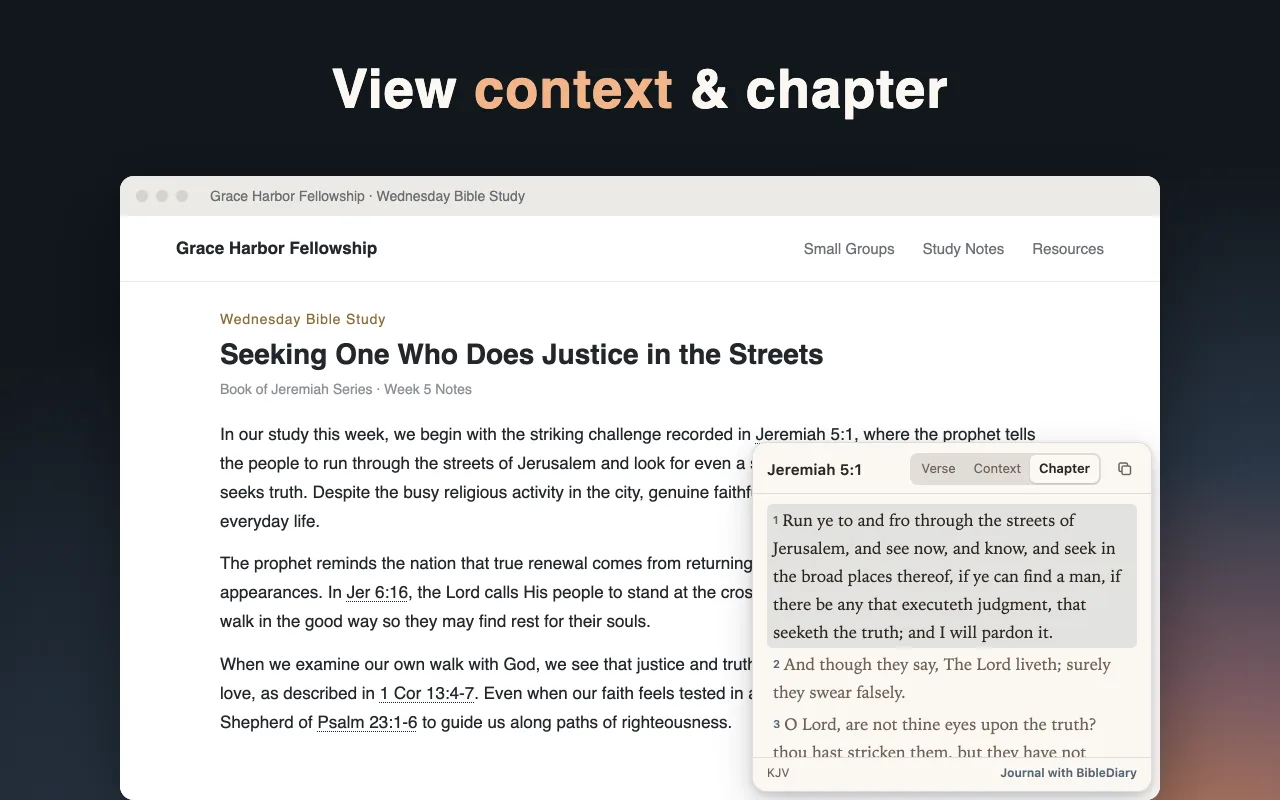
Verse, context, or full chapter
Switch between the single verse, surrounding verses, or the entire chapter inside the popup window.
One-click copy with reference
Copy the scripture text together with its book, chapter, and verse reference for notes or study.
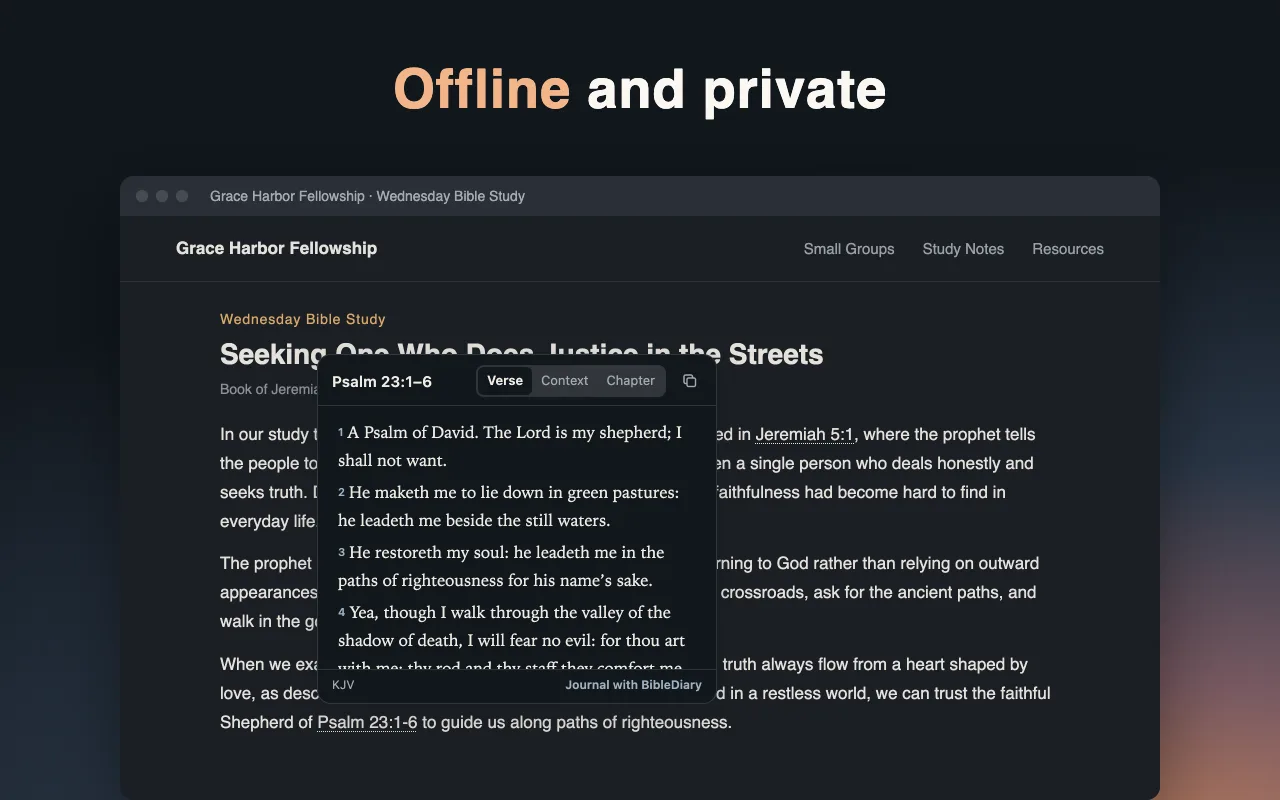
Keyboard navigation and dark mode
Open and navigate popups using your keyboard, with a dark theme for comfortable reading.
Built-in texts, offline and private
All Bible texts are bundled inside the extension so it works offline without network requests or data collection.
Supported reference formats and translations
| Language | Reference example | Bible translation |
|---|---|---|
| 繁體中文 | 耶5:1 | 和合本 |
| 简体中文 | 约3:16 | 和合本(簡體) |
| English | John 3:16 | KJV |
| Español | Juan 3:16 | Reina-Valera 1909 |
| Português | João 3:16 | Bíblia Livre |
| Français | Jean 3:16 | Louis Segond 1910 |
| Deutsch | Joh 3,16 | Lutherbibel 1912 |
| 日本語 | ヨハネ3:16 | 口語訳 |
| 한국어 | 요 3:16 | Korean Daily Version |
Frequently asked questions
Is the Bible verse popup Chrome extension free?
Yes, Bible Verse Popup is completely free to use.
Does this extension collect my browsing data?
No. All scripture texts are built into the extension. It runs offline, makes no network connections, and collects no personal or browsing data.
Which languages and Bible translations are supported?
It recognizes references in 9 languages with built-in translations: Traditional Chinese (耶5:1, 和合本), Simplified Chinese (约3:16, 和合本(簡體)), English (John 3:16, KJV), Spanish (Juan 3:16, Reina-Valera 1909), Portuguese (João 3:16, Bíblia Livre), French (Jean 3:16, Louis Segond 1910), German (Joh 3,16, Lutherbibel 1912), Japanese (ヨハネ3:16, 口語訳), and Korean (요 3:16, Korean Daily Version).
Can I use it in Microsoft Edge?
Yes. Microsoft Edge supports Chrome extensions, and you can install it directly from the Chrome Web Store.
How do I use the verse popup?
Move your mouse over any detected scripture reference on a web page, or focus it with your keyboard. In the popup, you can switch between the verse, surrounding context, and the full chapter, or copy the verse with its reference.
Made by BibleDiary, the scripture diary and wallpaper app
BibleDiary is a Bible reading diary and scripture wallpaper app for iOS and Android. Place today's verse on your phone lock screen and write a short reflection under the passage.
